 Padan Scan
Padan Scan
Padan Scan
macOS · on-device OCR for sworn translation
On-device OCR for sworn EN↔ID translators. Drop a scanned akta, a photocopied court ruling, a faded ijazah — get back clean, Trados-ready segments. Nothing ever leaves your Mac.
the reality
Court rulings faxed twice. Aktas photocopied until the seal is a smudge. Ijazah scans tilted five degrees off true. Before a single word can be translated, the source has to become text.
The usual answers are retyping it by hand, or uploading a client's confidential documents to a cloud OCR service. Padan Scan refuses both.
how it works
Drag a file, or a folder of them — PDF, PNG, JPEG, HEIC, TIFF. Or click to pick.
Apple Vision recognizes the text on the Neural Engine — tuned for Indonesian and English. No network. No upload.
Loose text blocks are reassembled into clean paragraphs from their measured position on the page — not guessed.
A .txt and a Trados-ready .docx appear beside the source — plus a .review.txt for anything uncertain.
a look inside
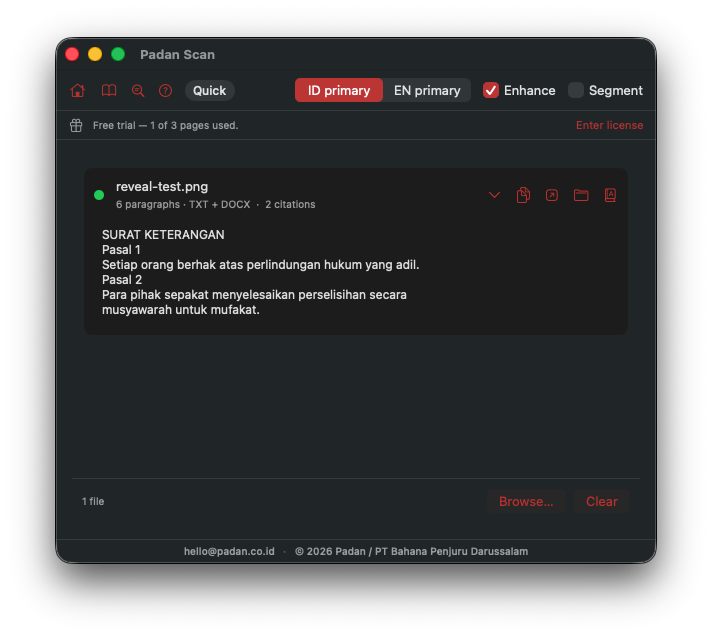
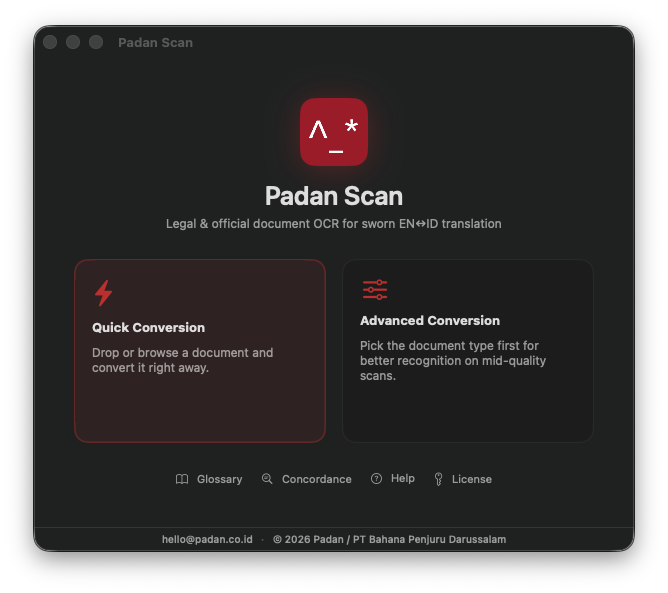
Apple Vision reads the page on-device. Loose blocks are rebuilt into paragraphs from their measured position, citations are flagged, and a .txt plus a Trados-ready .docx appear beside the source.
features
Apple Vision at .accurate, ID + EN, on the Neural Engine — the best local recognition macOS offers.
Bounding-box paragraph reconstruction: single-flow text Trados can segment cleanly.
Faded, low-contrast scans are sharpened before recognition.
Exports .docx where one paragraph equals one segment. UTF-8, straight quotes, no stray control characters.
A confidence + noise heuristic writes a .review.txt so you eyeball only what's doubtful — nothing is silently changed.
A conservative pass fixes garbled fixed headers only — never names, numbers, or dates.
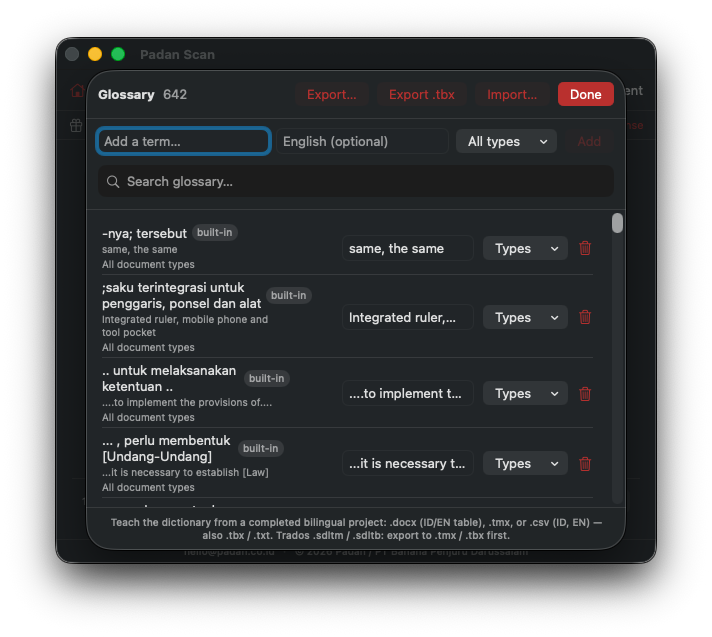
Keep your terminology in one place; tag terms by document type; import .tmx, .tbx, .xml, .csv. Stored on your Mac.
Pick the document type — 13 of them — to scope terminology to the job.
Multi-hundred-page Aktas process page-by-page, concurrently, without choking memory.
One toggle: Indonesian-primary or English-primary recognition.
built for Trados Studio
Trados segments at paragraph breaks, so Padan Scan treats paragraphs as sacred: one <w:p> per paragraph, never merged with soft line breaks. Text is UTF-8 throughout — including the Dutch loan-word characters that surface in old legal Indonesian — quotes are straightened, and control and zero-width characters are stripped before writing. The .docx is deliberately unstyled: you format the target, Trados handles the rest.
document types
confidentiality
Nothing leaves your Mac.
No cloud. No servers. No analytics. No API calls.
Recognition runs entirely on Apple's Neural Engine — offline.
Cloud OCR asks you to upload your client's birth certificate to someone else's computer. A sworn translator's confidentiality obligation doesn't survive that. Padan Scan was built so the question never comes up — the documents stay between you and the machine.
why not cloud OCR
| Padan Scan | Cloud OCR services | Generic desktop OCR | |
|---|---|---|---|
| Documents stay on your machine | ✓ | — uploaded | usually |
| Trados-ready .docx (1 paragraph = 1 segment) | ✓ | varies | rarely |
| Tuned for Indonesian sworn documents | ✓ | generic | generic |
| Works fully offline | ✓ | — | ✓ |
| Review-flagging + boilerplate correction | ✓ | — | — |
| Cost model | flat annual licence | per-page / metered | varies |
Categories compared in good faith; capabilities vary by vendor.
who it's for
Sworn EN↔ID legal and academic translators who live in Trados Studio.
Translation agencies handling confidential civil-registry and court documents at volume.
In-house legal and academic teams that can't send source documents to the cloud.
where it comes from
Padan Scan didn't start as a product. It was the internal tool of Padan — a certified EN↔ID legal and academic translation service — built to clear its own daily pile of photocopied aktas and faded court rulings, and proven on real, confidential caseloads before it was offered to anyone else. It does one job, for one kind of work, because that's the work it was made for.
in development
questions
.txt and a Trados-ready .docx beside the source file, plus a .review.txt listing anything the recognizer wasn't sure of..accurate level — strong on clean scans, and it flags low-confidence output rather than hiding it. Quality tracks the legibility of the source..docx, and never uploads a document. See the comparison above.pricing
A flat annual licence — no per-page fees, no usage metering, nothing in the cloud. Try it free on your first 3 pages, then licence it to keep going. Volume licences for studios and agencies on request.
See pricing & buy